BxLens
Get started
Productivity and AI observability for BoxLang

See inside your

And every server.

BxLens is the debug bar and ops console for BoxLang. See every request, query, HTTP call and mail, trace AI agent runs with cost and MCP monitoring, watch disk and all your servers, and ask Lensy in plain words.

$install-bx-module bx-lens
3 servers · 1 behind
Disk /data at 88%
Lensy: alert on, awaiting approval
Pick your path

What do you want to do first?

Two surfaces

A bar for the request. A console for the server.

Start with the bar while you build. Open the console when you run it.

The tour

Everything your app and server are doing.

Pick an area. Every one is a page in the console, with its own docs.

ColdBox, seen from inside no setup
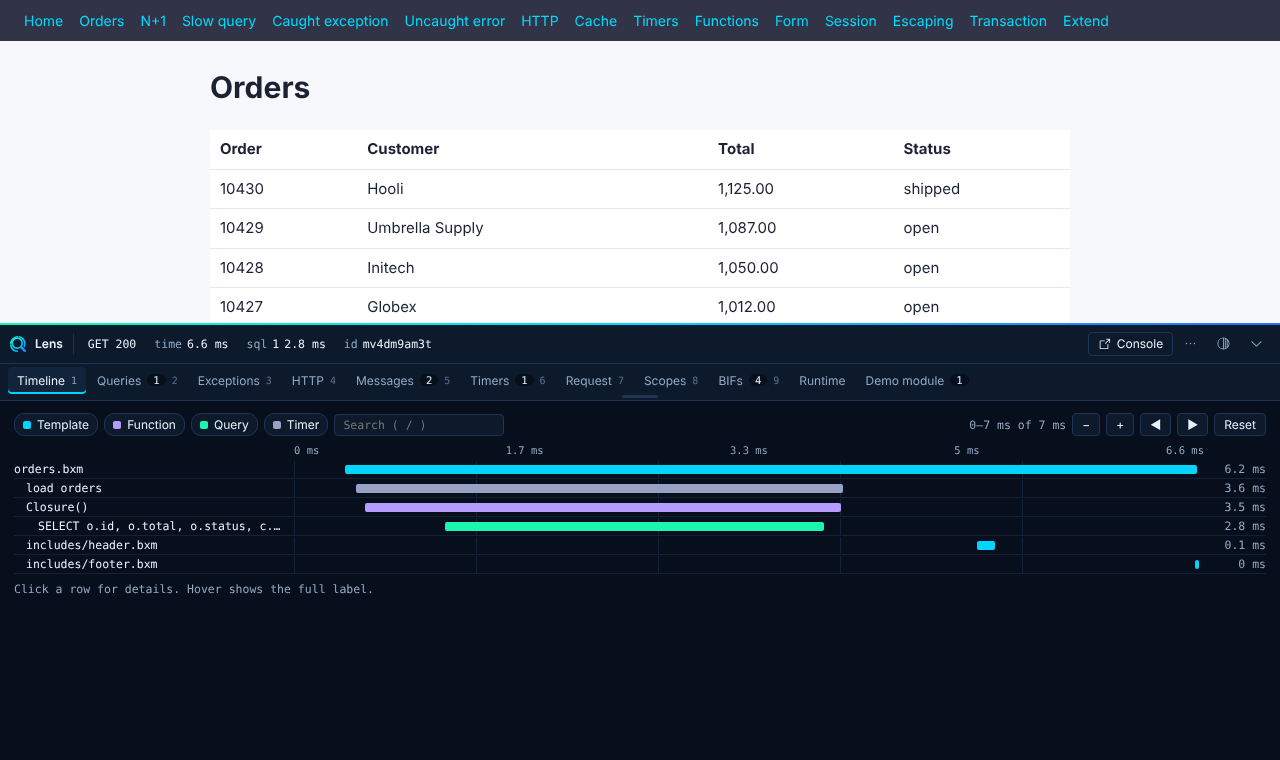
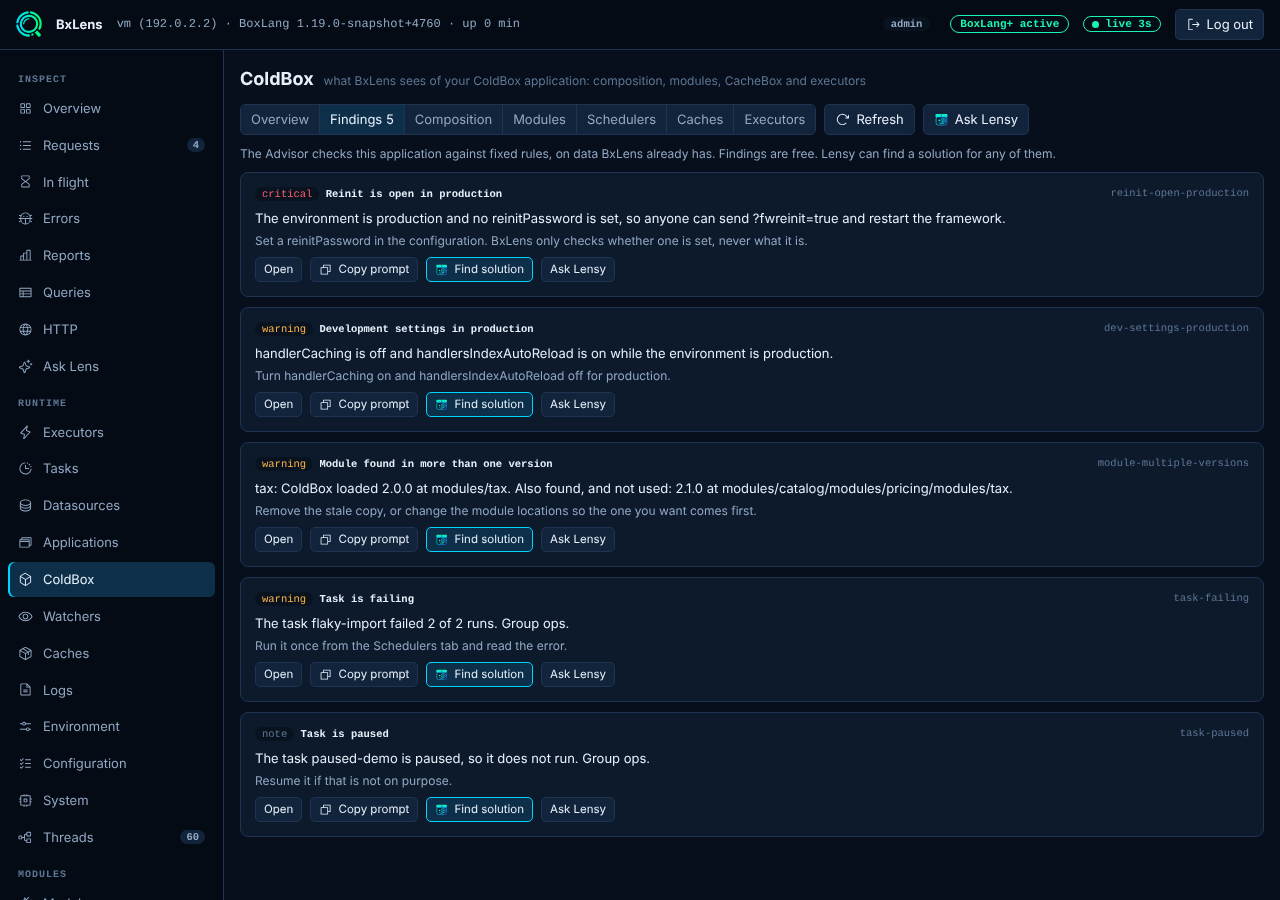
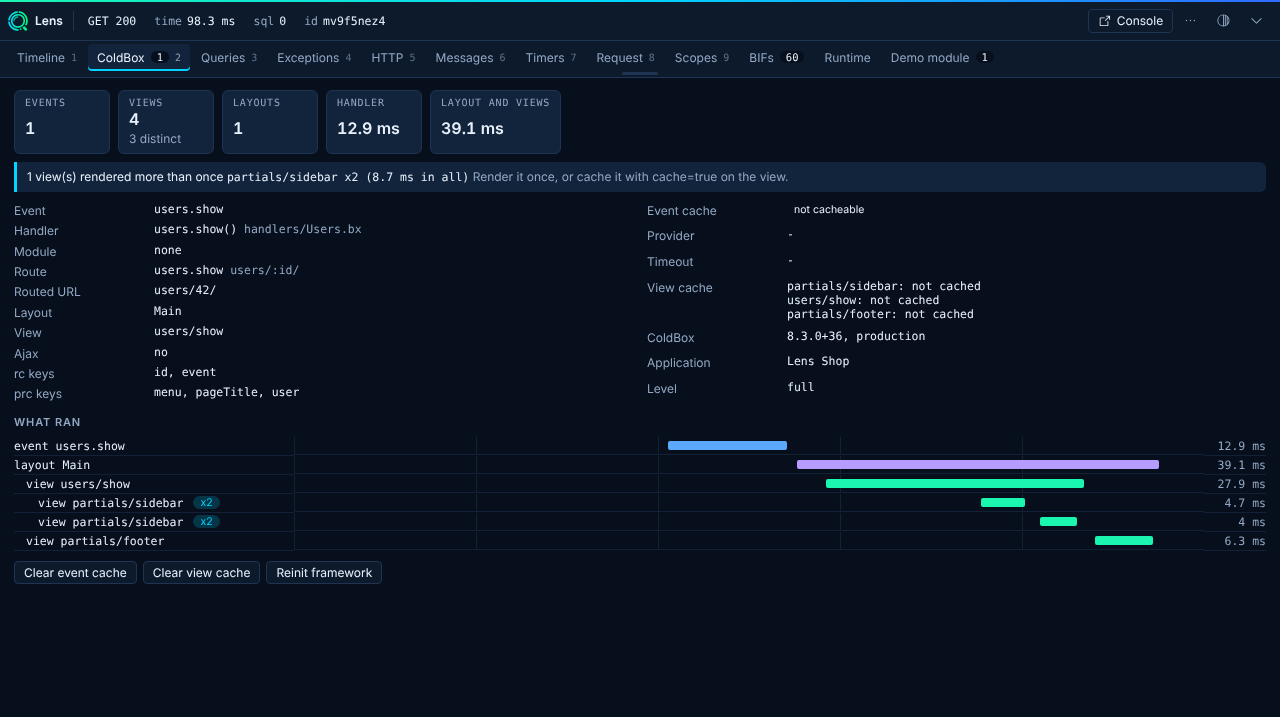
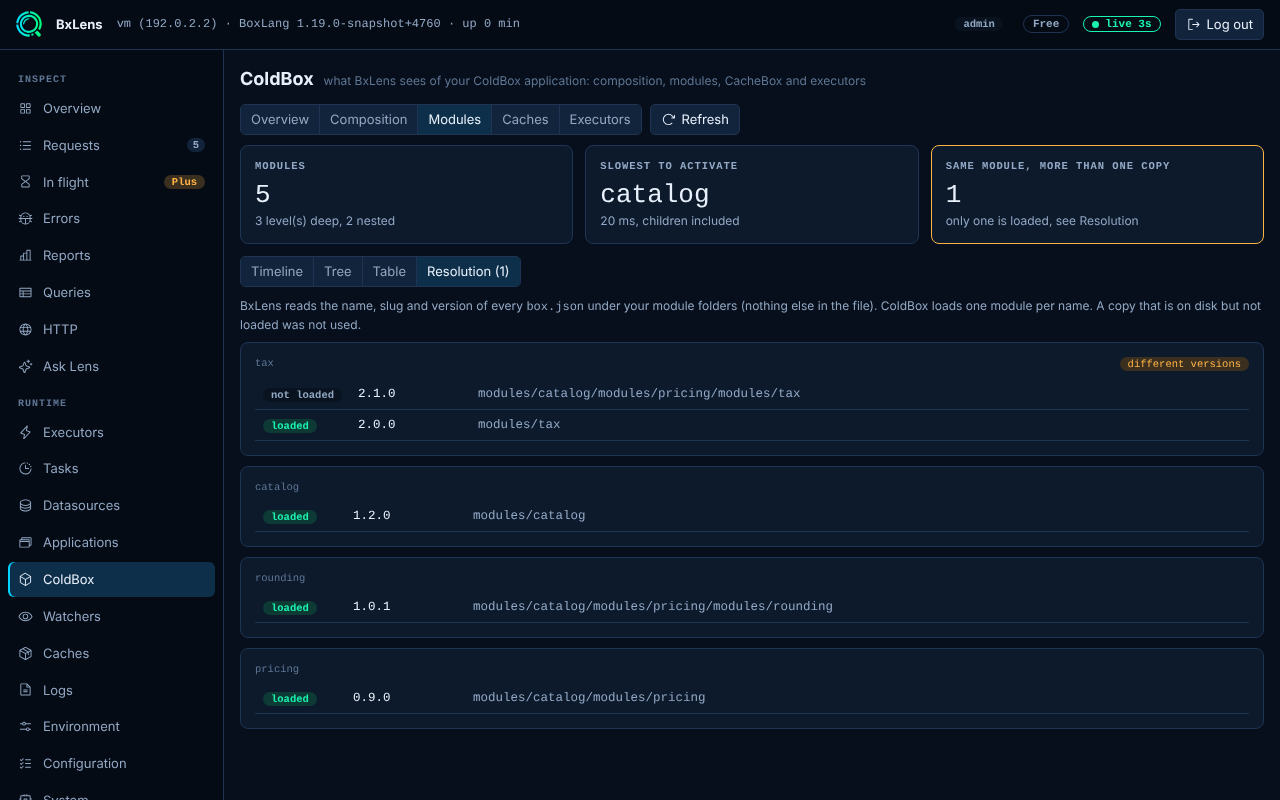
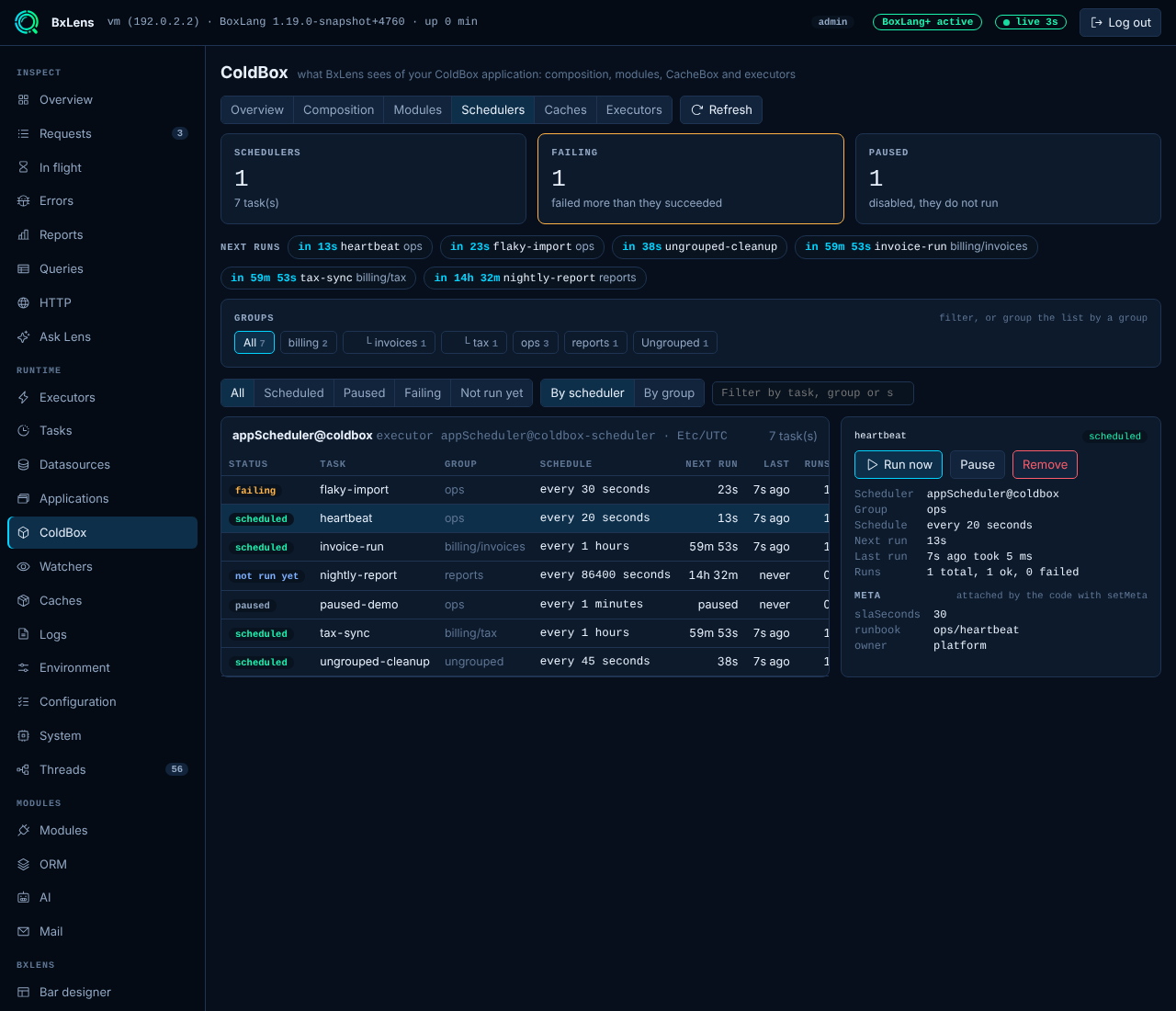
BxLens finds your ColdBox application and shows what every request did: the event, the route, the layout, every view and its time, and the event cache. A page in the console covers modules, schedulers, caches and executors, and an Advisor checks the application for problems.

  • Nothing to install in your app, nothing to add to your configuration
  • Findings, modules in more than one version, boards, a glossary: free
  • Run, pause and remove tasks, Find solution with Lensy: BoxLang+
ColdBox support → Watch the walkthrough →
The ColdBox page of the console with the findings of the Advisor
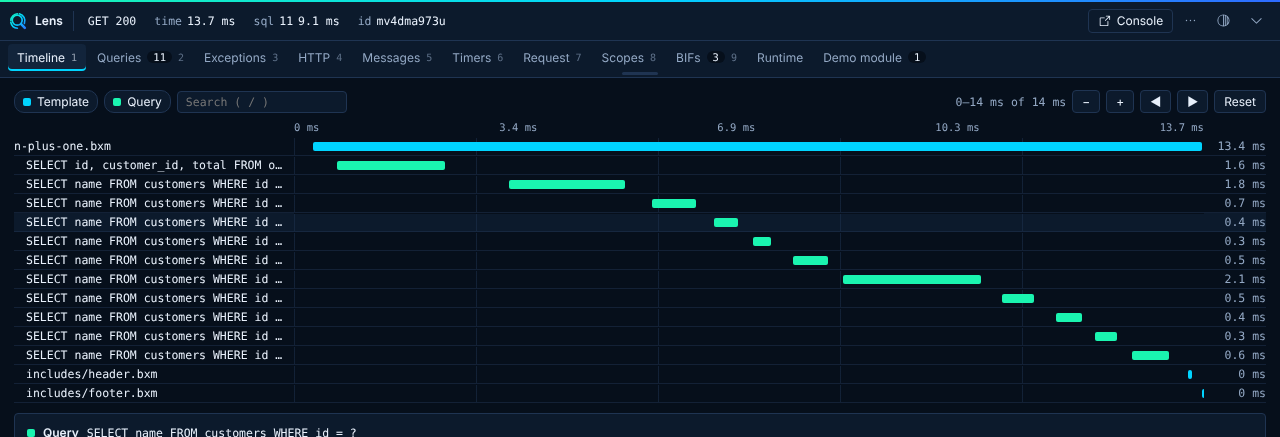
The ColdBox tab of the bar with the waterfall of a requestThe module resolution view with two versions of one moduleColdBox schedulers with groups, meta and the next runs

Errors, grouped and explained

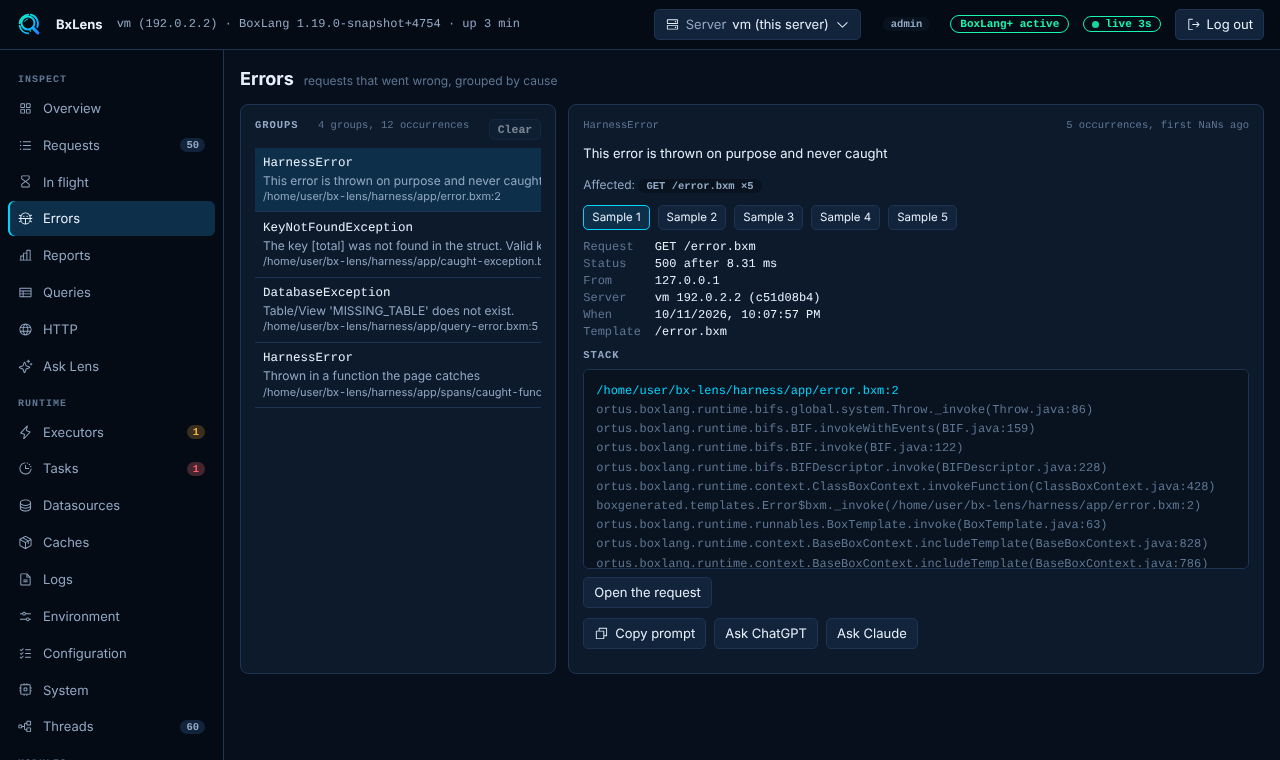
Every failed request is grouped by what went wrong, with the stack, the request and how often it happens. Press Explain and Lensy reads it with you.

  • Groups merged across servers (BoxLang+)
  • Daily and 15 day reports
  • Secrets redacted before anything is shown
Errors and reports →
The Errors page with grouped exceptions
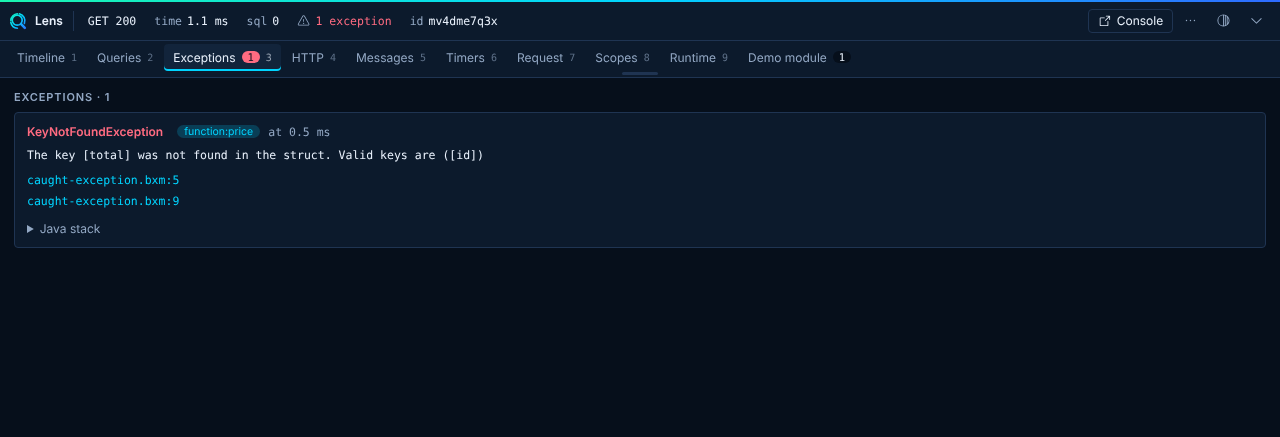
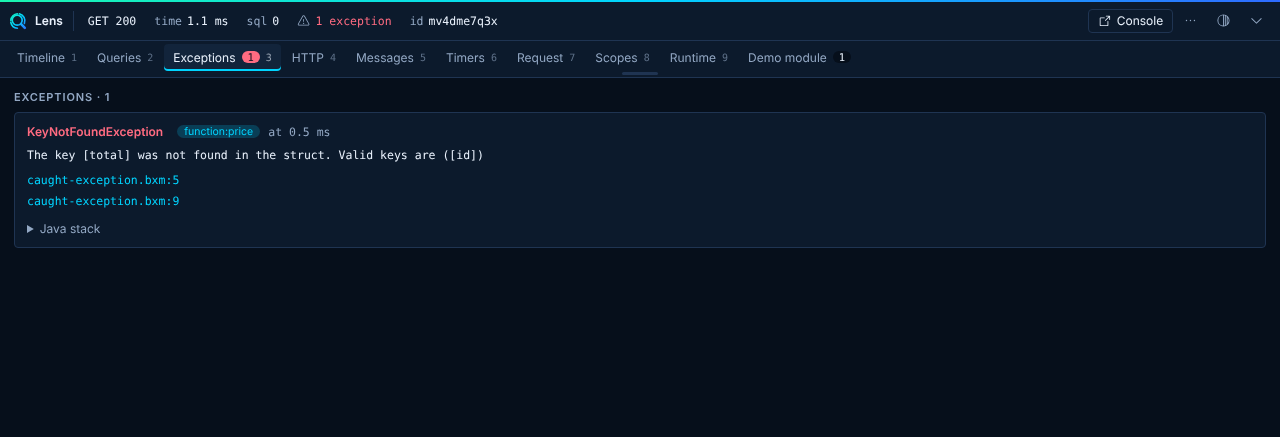
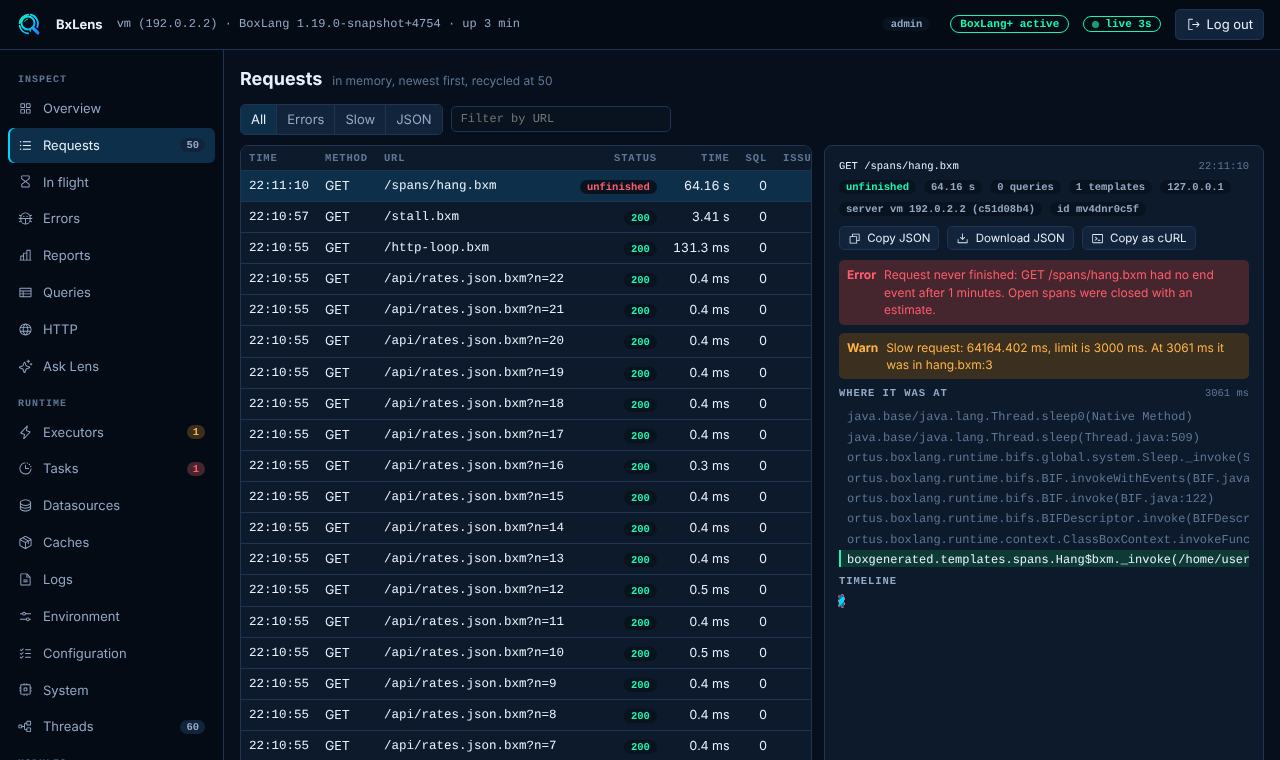
The bar flagging an exception with the issue detailThe bar Exceptions panel with the stack traceUnfinished requests in the console

Queries and ORM SQL

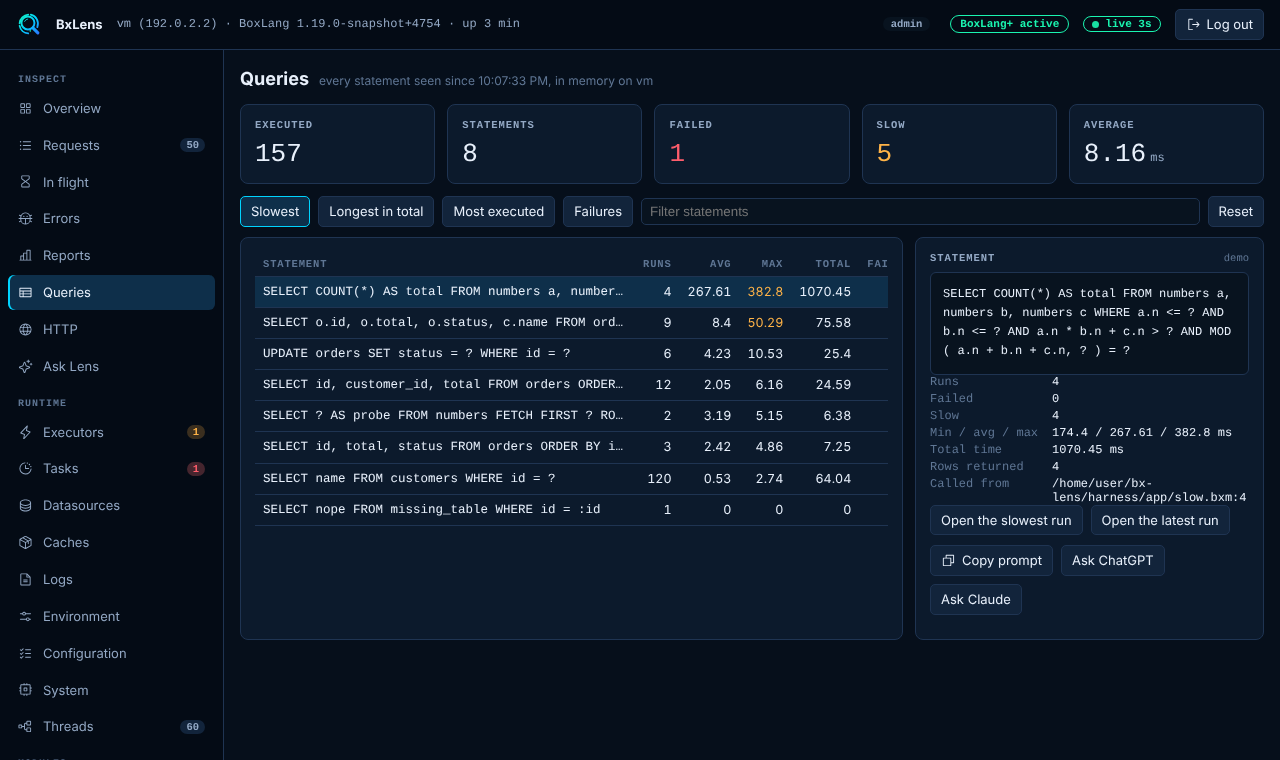
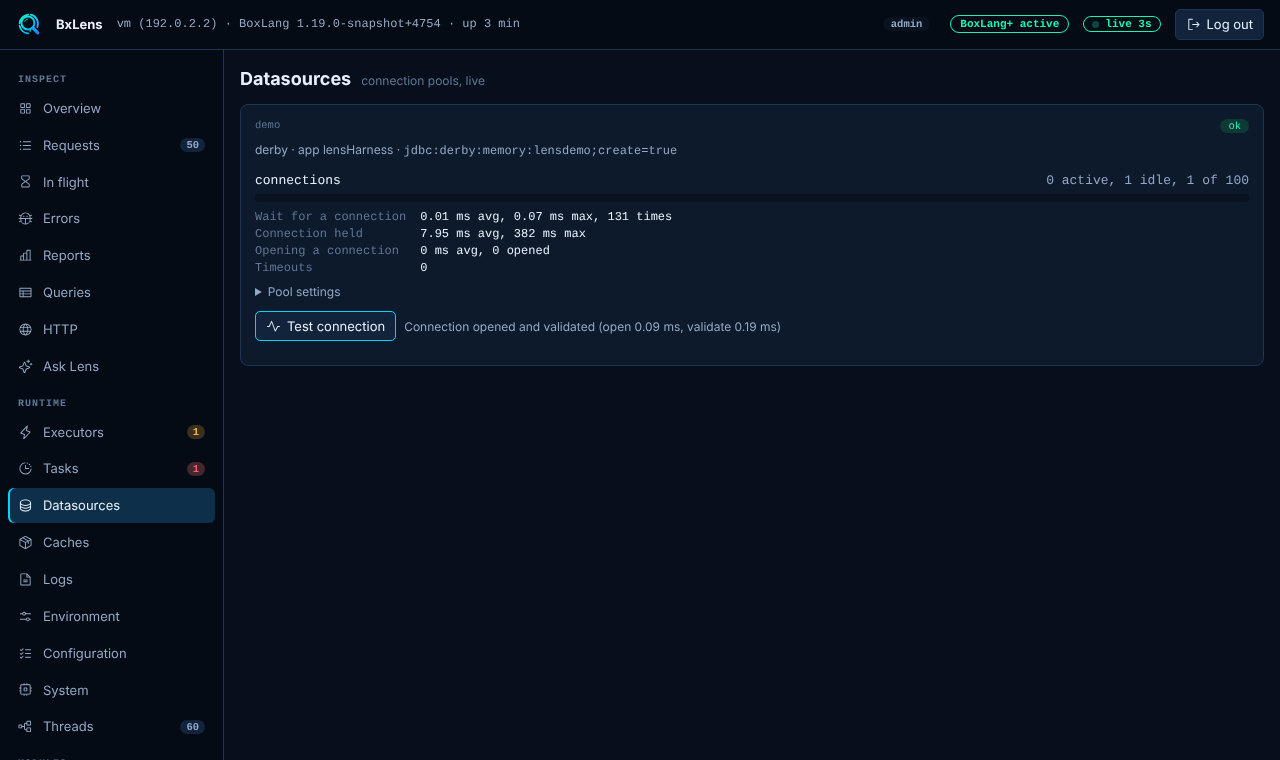
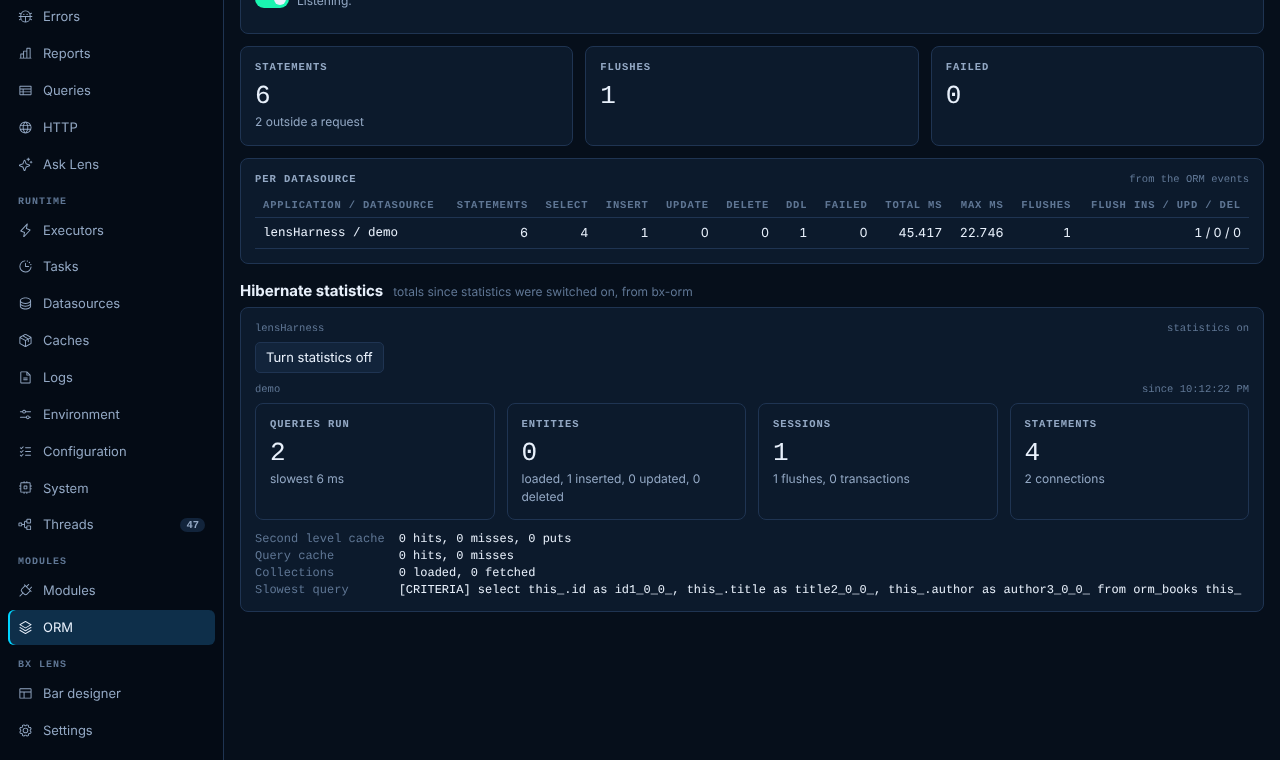
The slowest statements, the longest, the counts and the failures. ORM SQL shows with the rest, and datasource pools show their numbers and a connection test.

  • Slow and repeated queries
  • Hibernate statistics (Plus)
  • Pool use and waiting threads
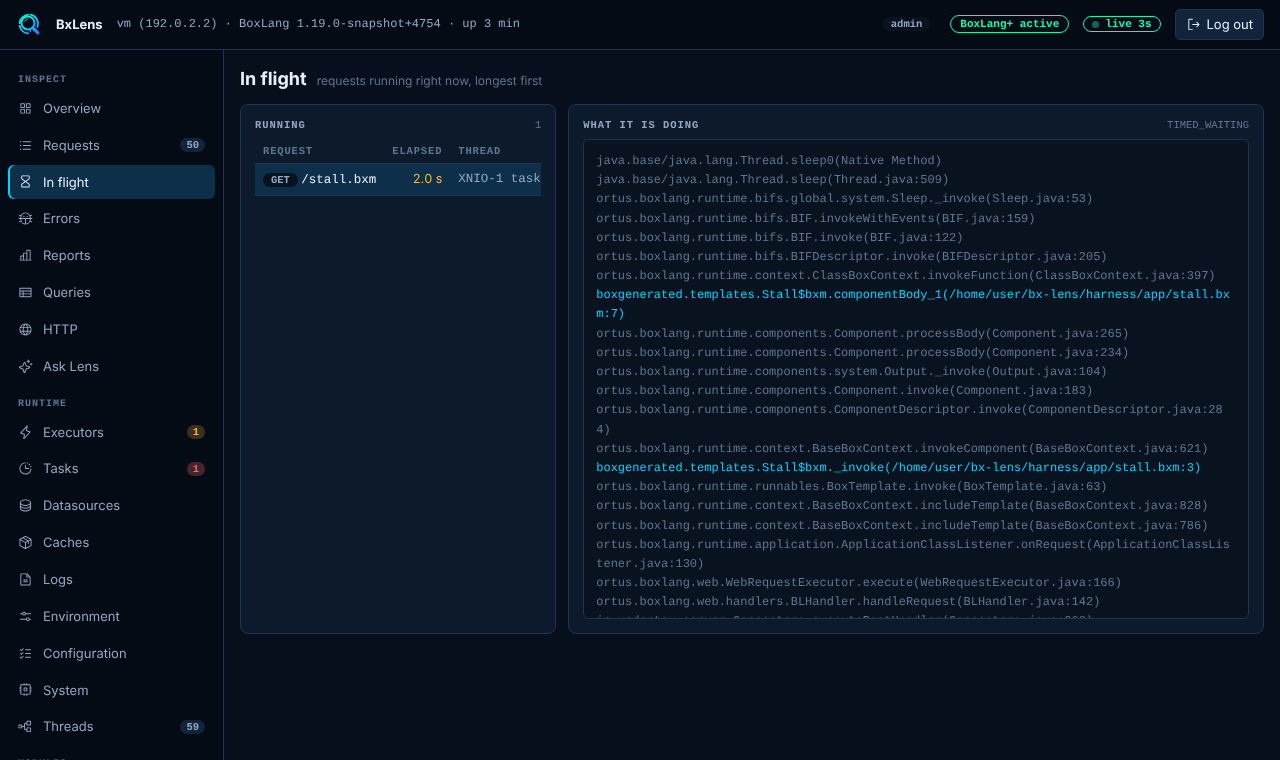
Queries and in flight →
The Queries page with the slowest statements
The Datasources page with pool numbersORM statistics and SQLRequests in flight right now

Outgoing HTTP, by host

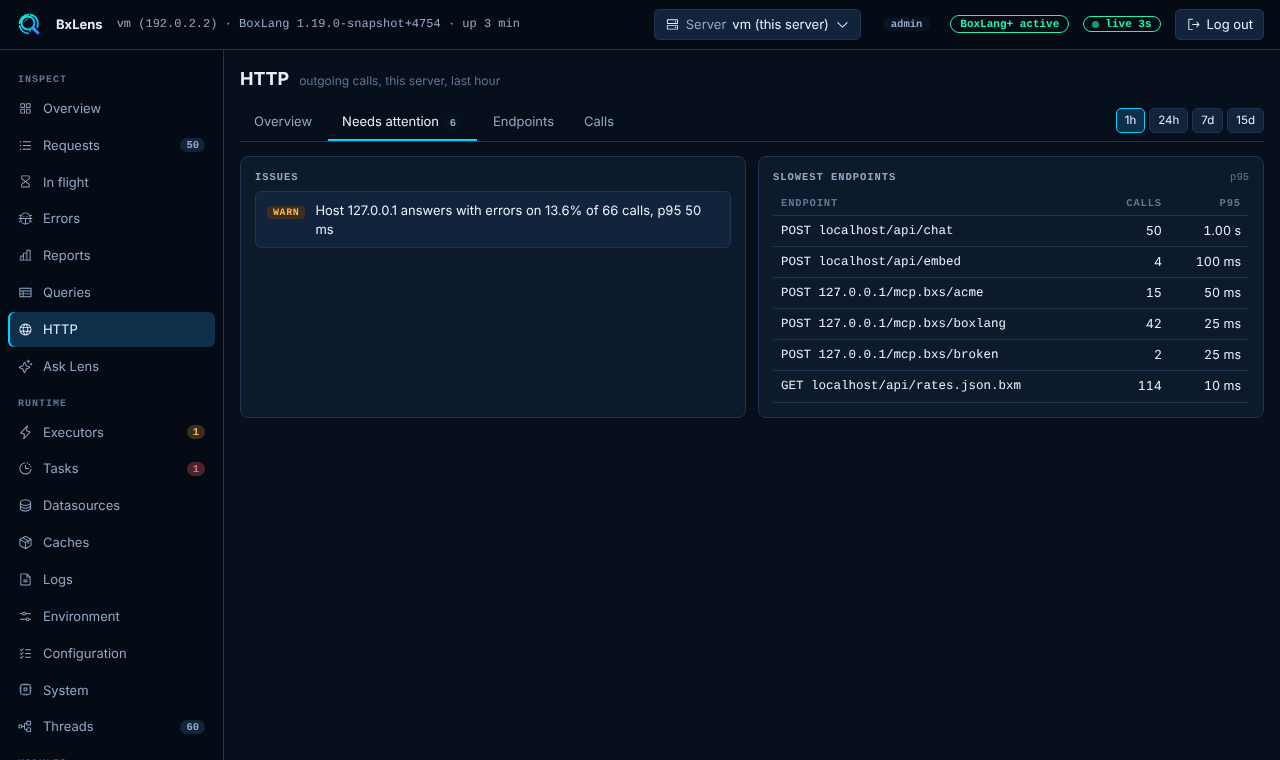
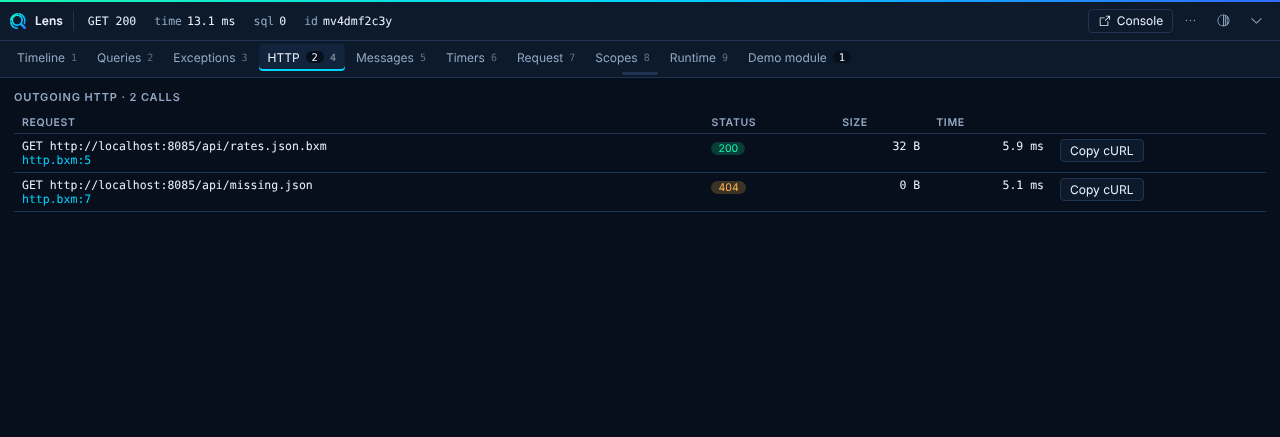
Which partner is slow, which one fails, and what it costs you. A latency histogram per host, a needs attention list and history from the saved rollups.

  • Per host and endpoint totals
  • Attention rules with limits you set
  • Up to 15 days of history
HTTP →
The HTTP page with calls per host
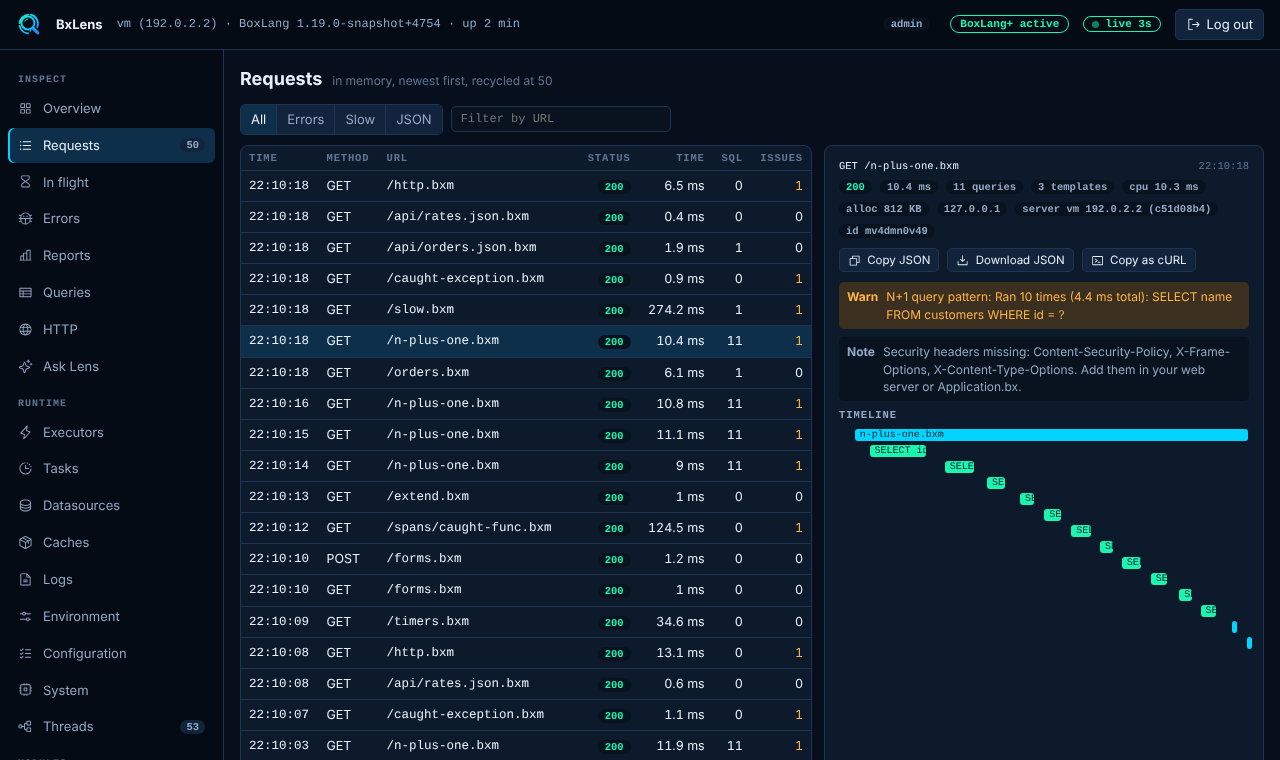
The bar HTTP panel for one requestThe Requests page with a live listThe bar Timeline with HTTP spans

Mail you can see

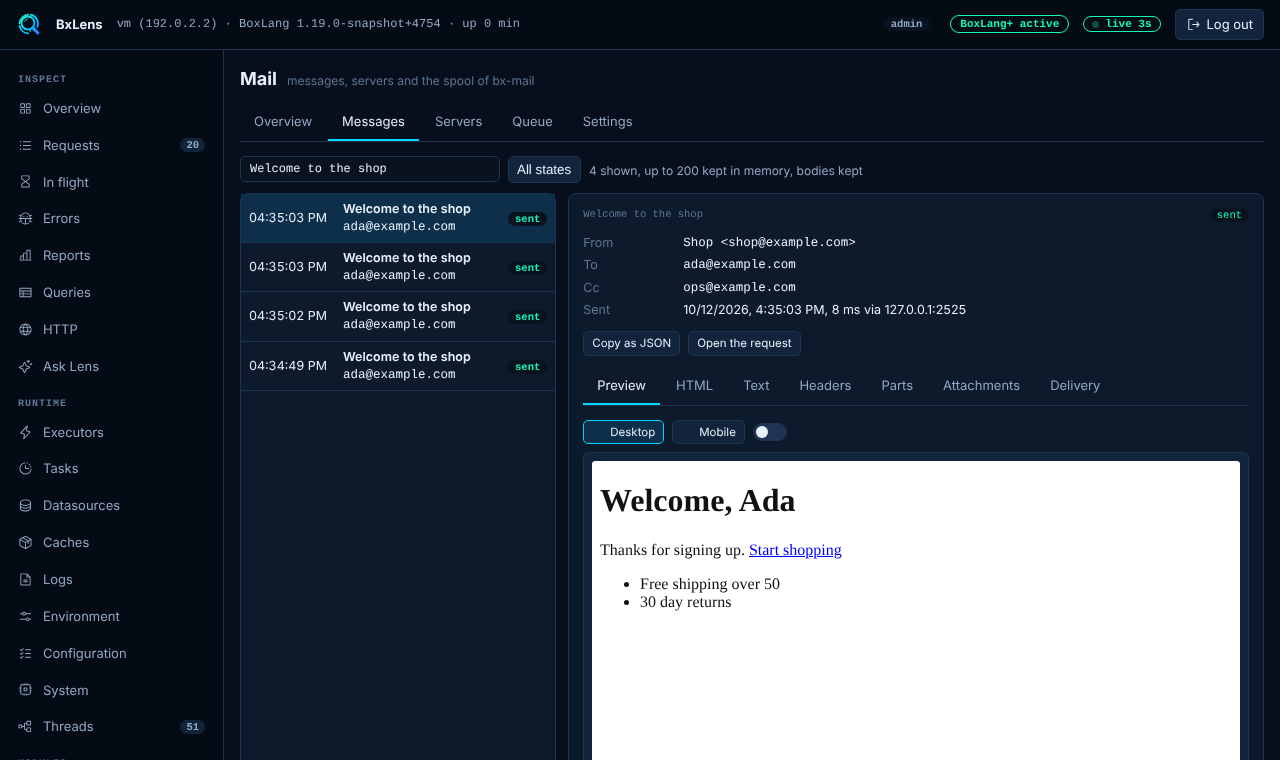
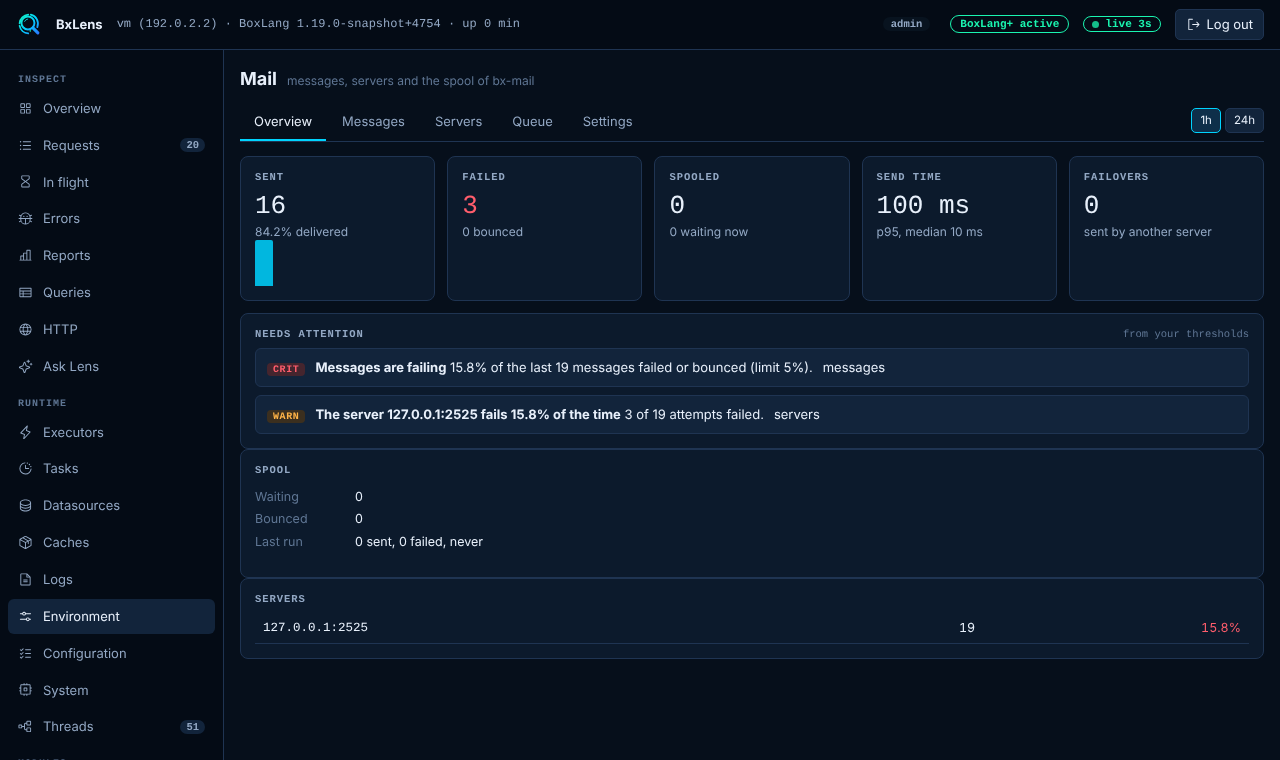
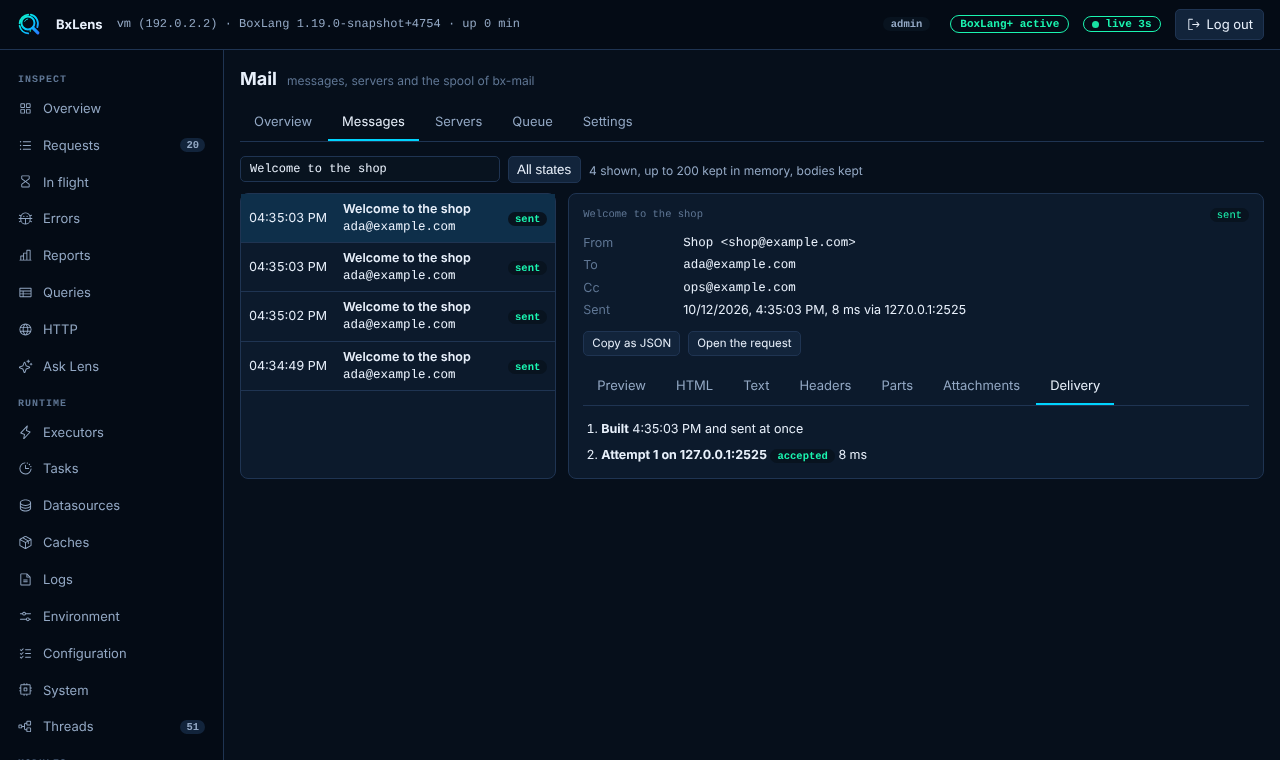
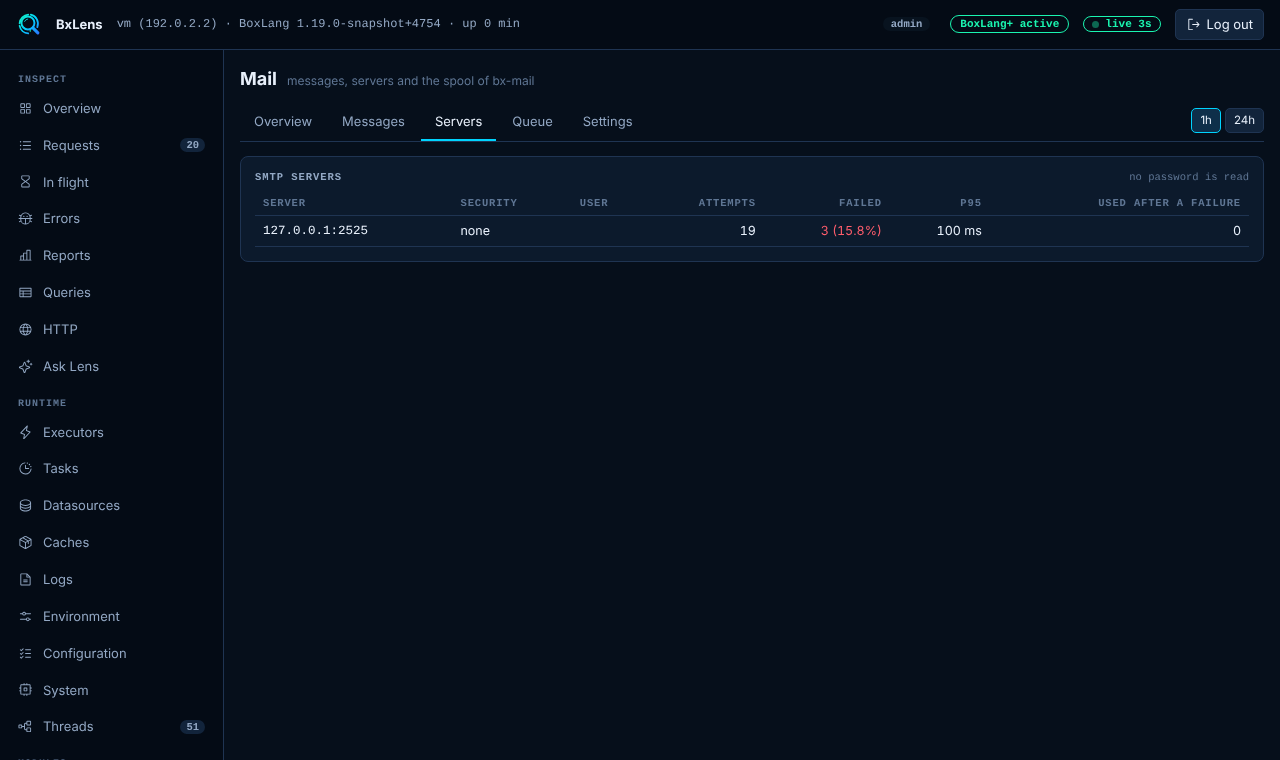
Every message bx-mail builds, spools, sends or bounces. Read it as the recipient does, in a sandbox with no scripts and no remote images. See each delivery attempt and the SMTP error.

  • HTML, text, headers and attachments
  • Phone width and dark preview
  • Spool queue with retry and discard
Mail →
The Mail viewer with a message preview
The Mail overviewMail delivery and bouncesMail per server

Observe your AI

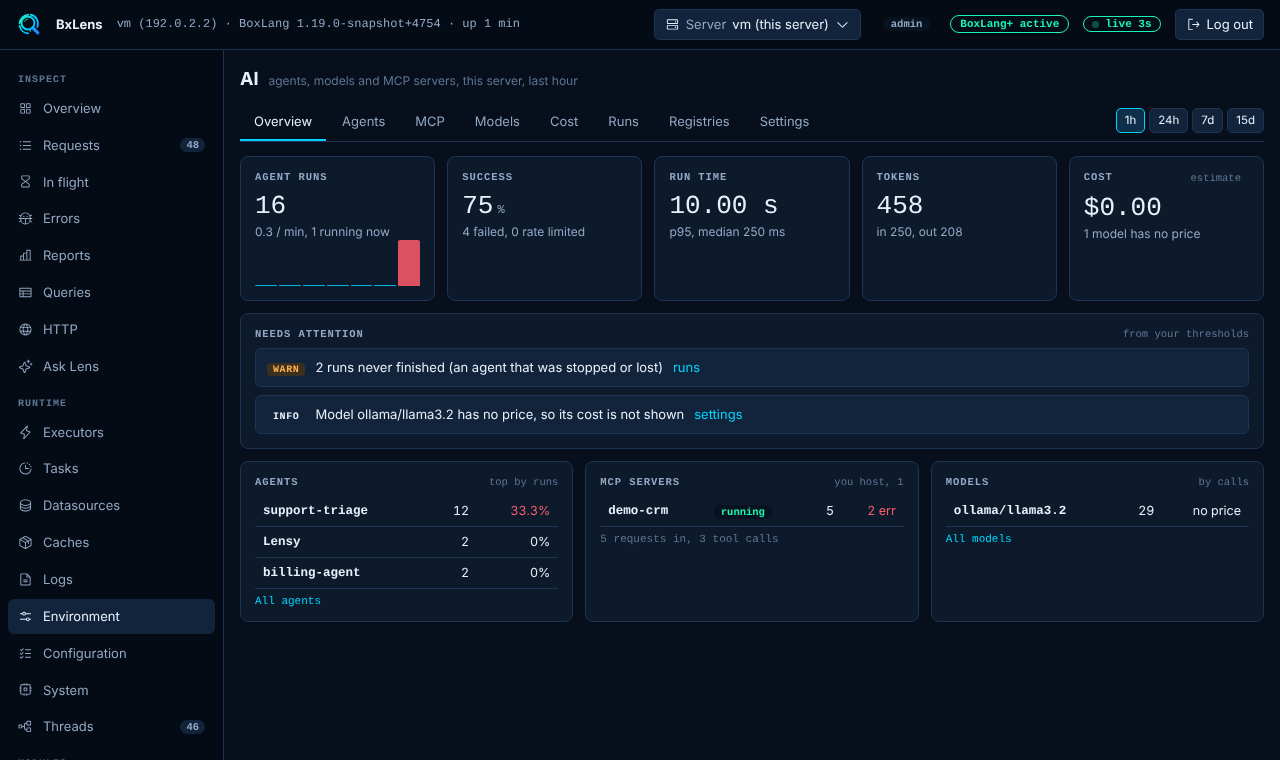
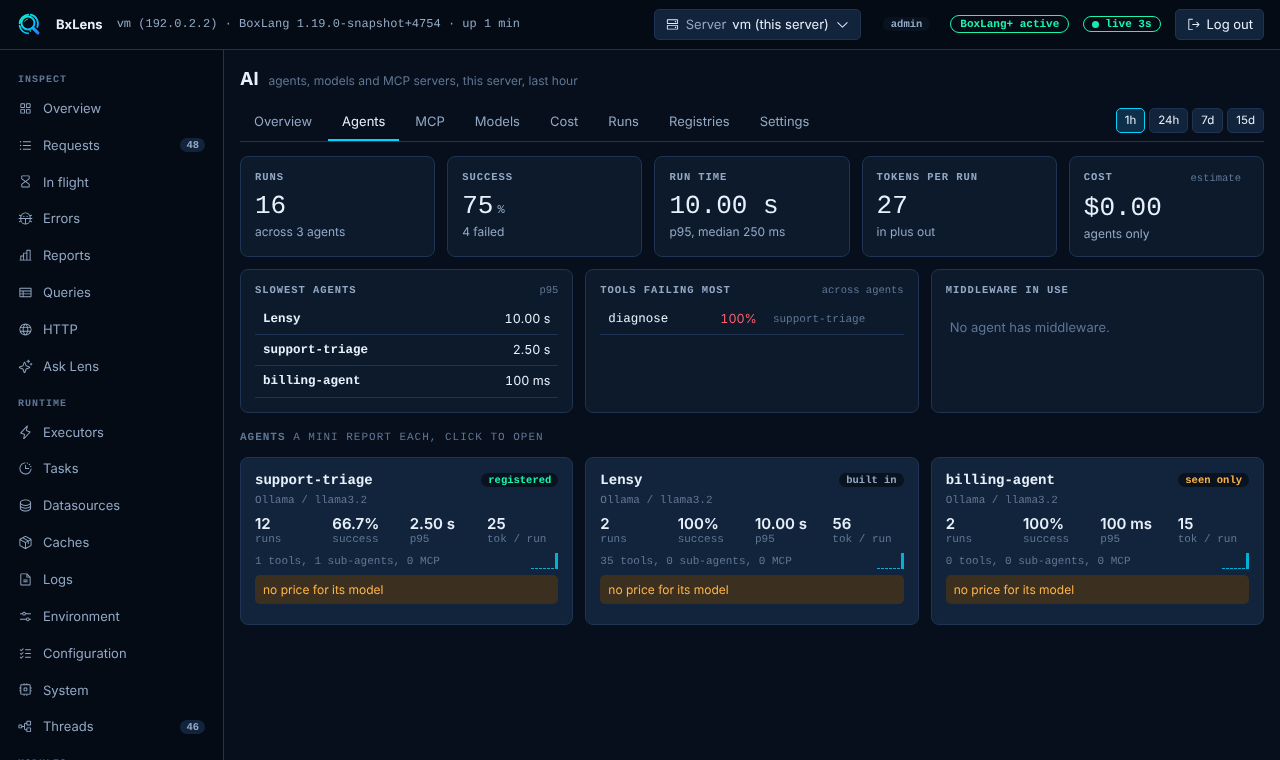
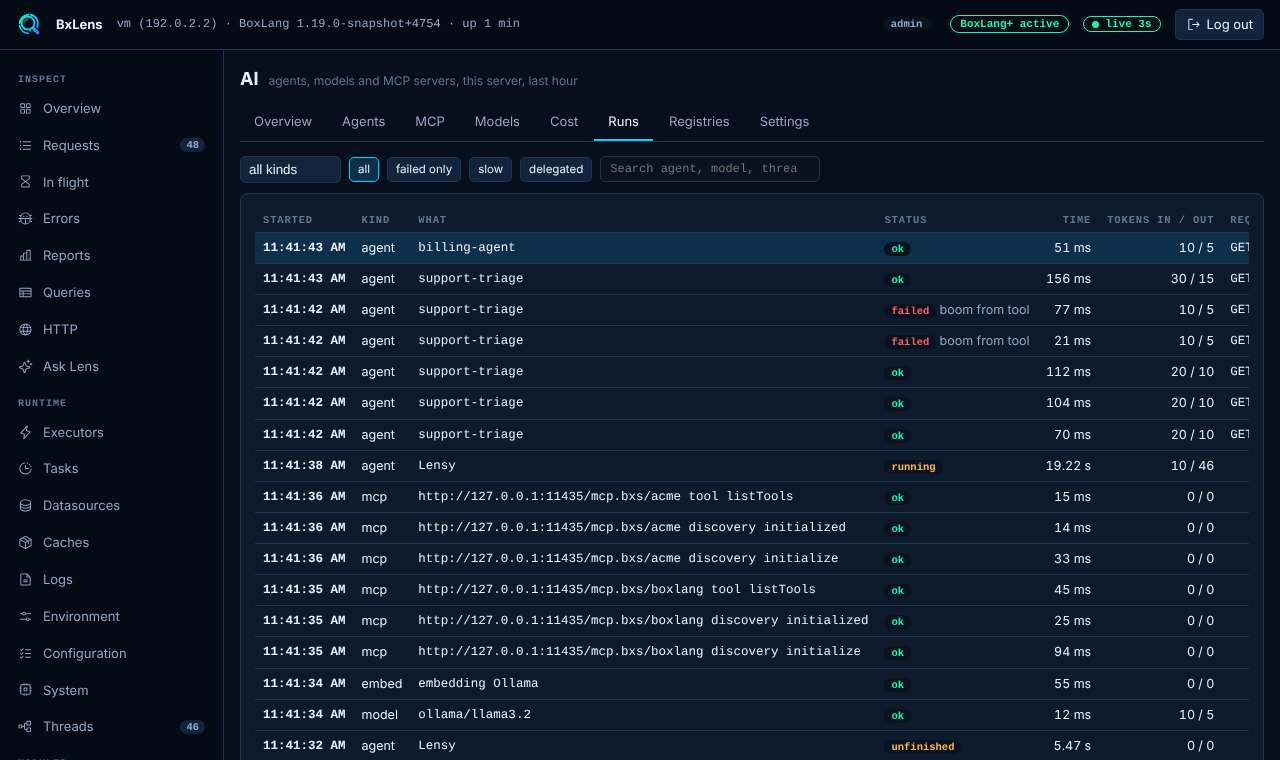
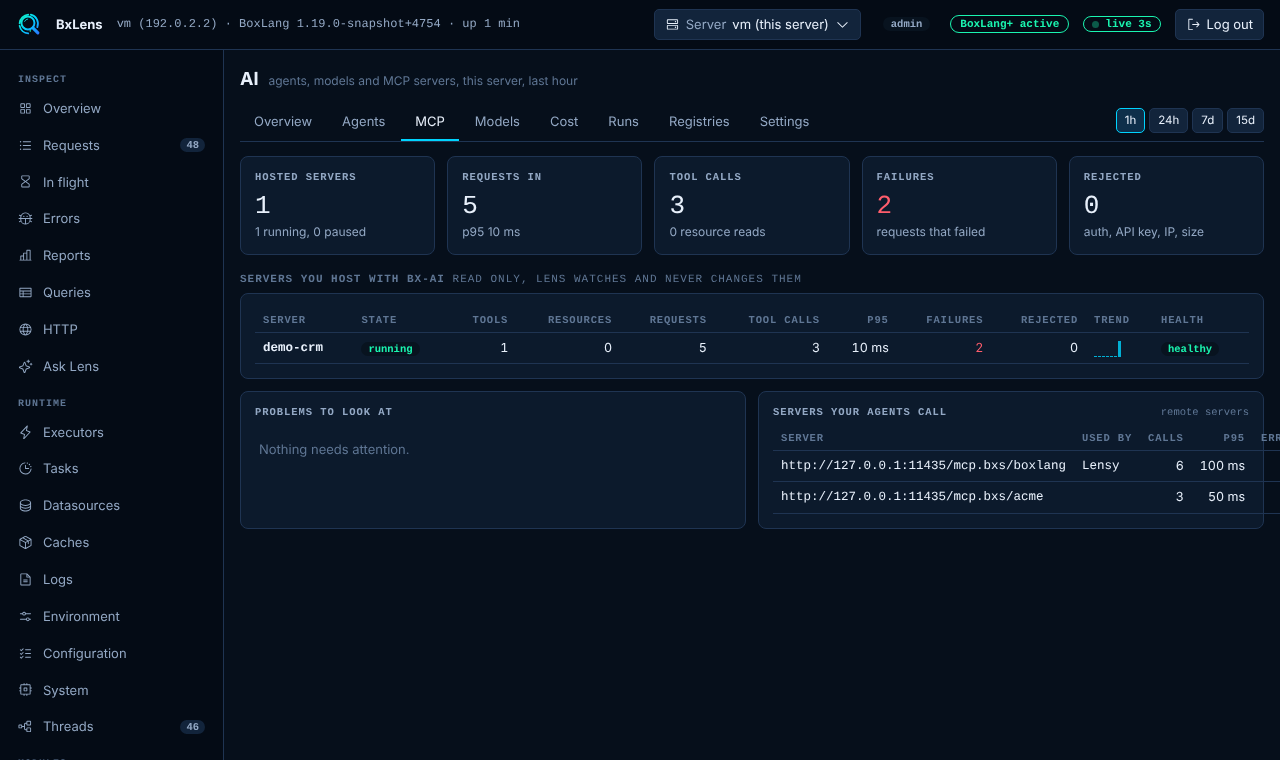
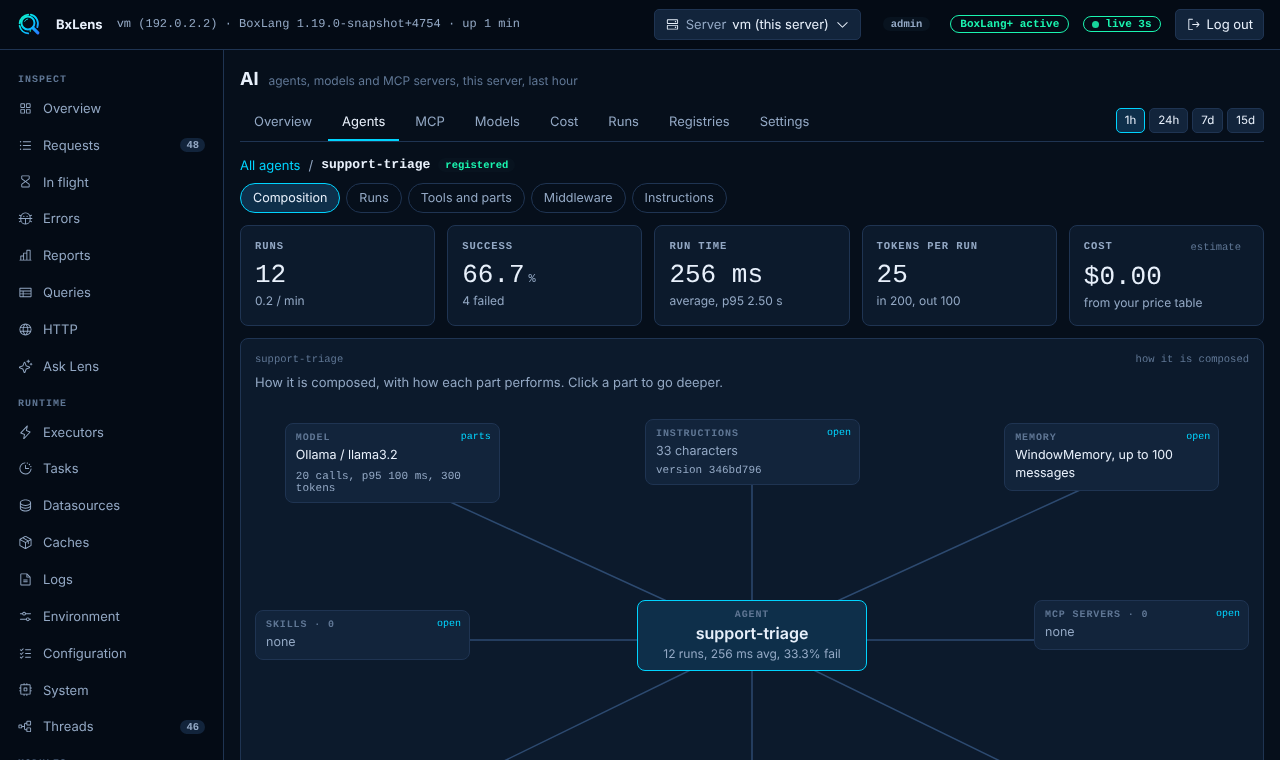
Runs, agents, tools, MCP servers, models and cost for BoxLang AI. Open a run and read the trace of every step.

  • Tokens and cost per model
  • MCP server health
  • Failed runs and rate limits flagged
AI observability →
The AI observability overview
Agents and their runsOne AI run in detailMCP calls

The JVM, the disks, the threads

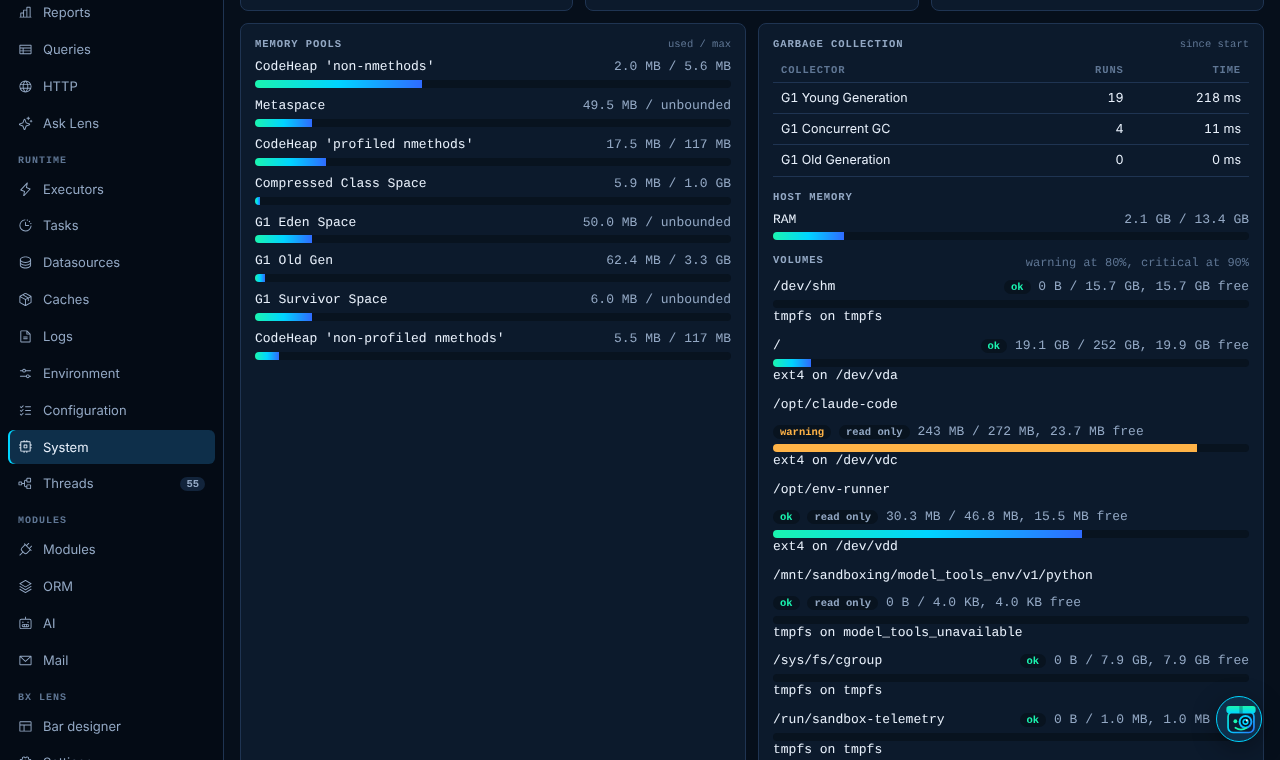
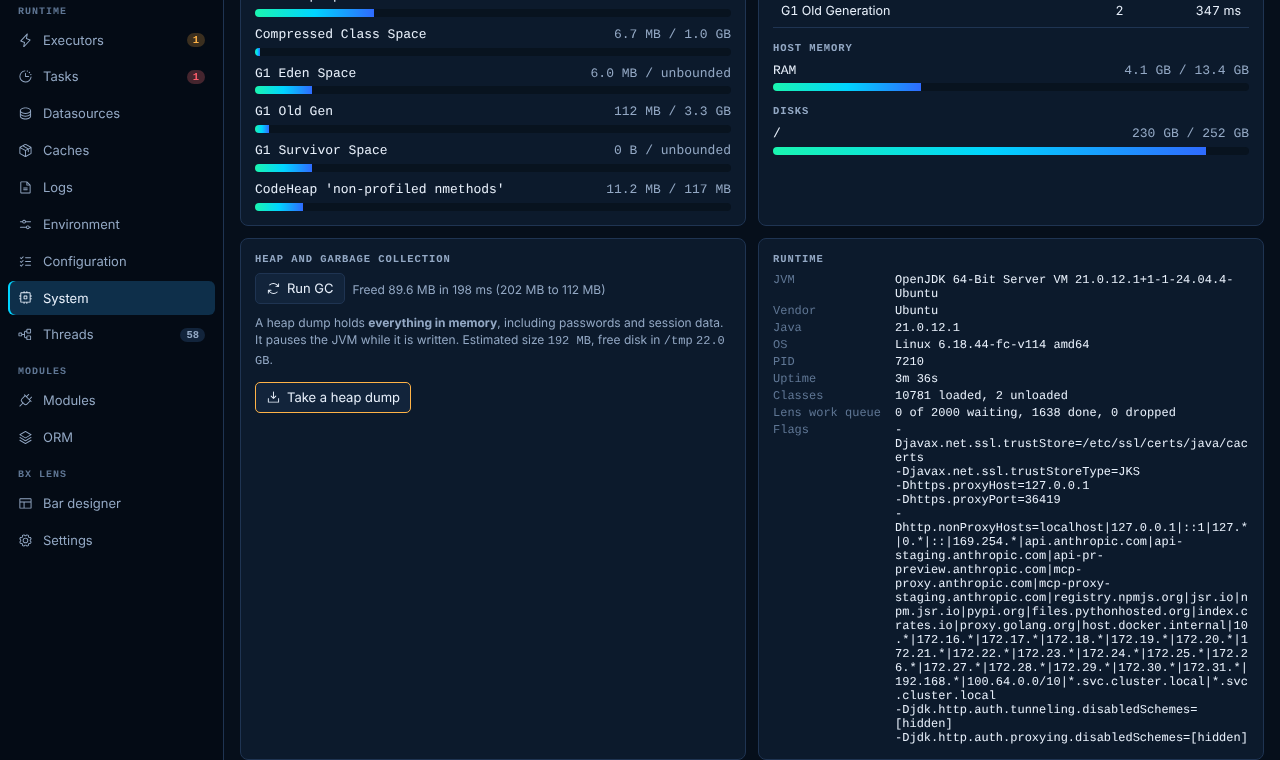
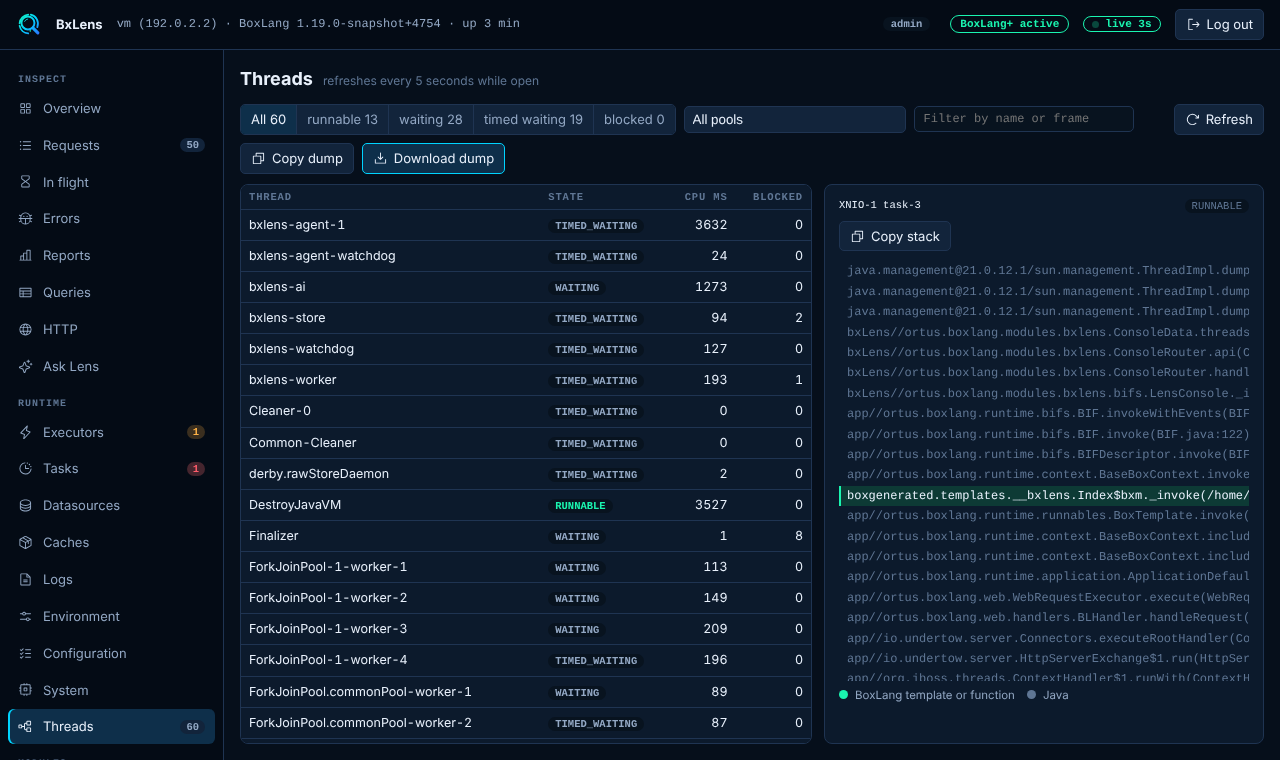
Heap, GC, CPU and threads with a deadlock check. Every disk volume with size, free and read only, and the folders BoxLang and Lens write to.

  • Volumes and folders are free
  • Heap dump and GC on demand
  • Thread viewer and dump
System and threads →
The System page with disk volumes and the folders Lens uses
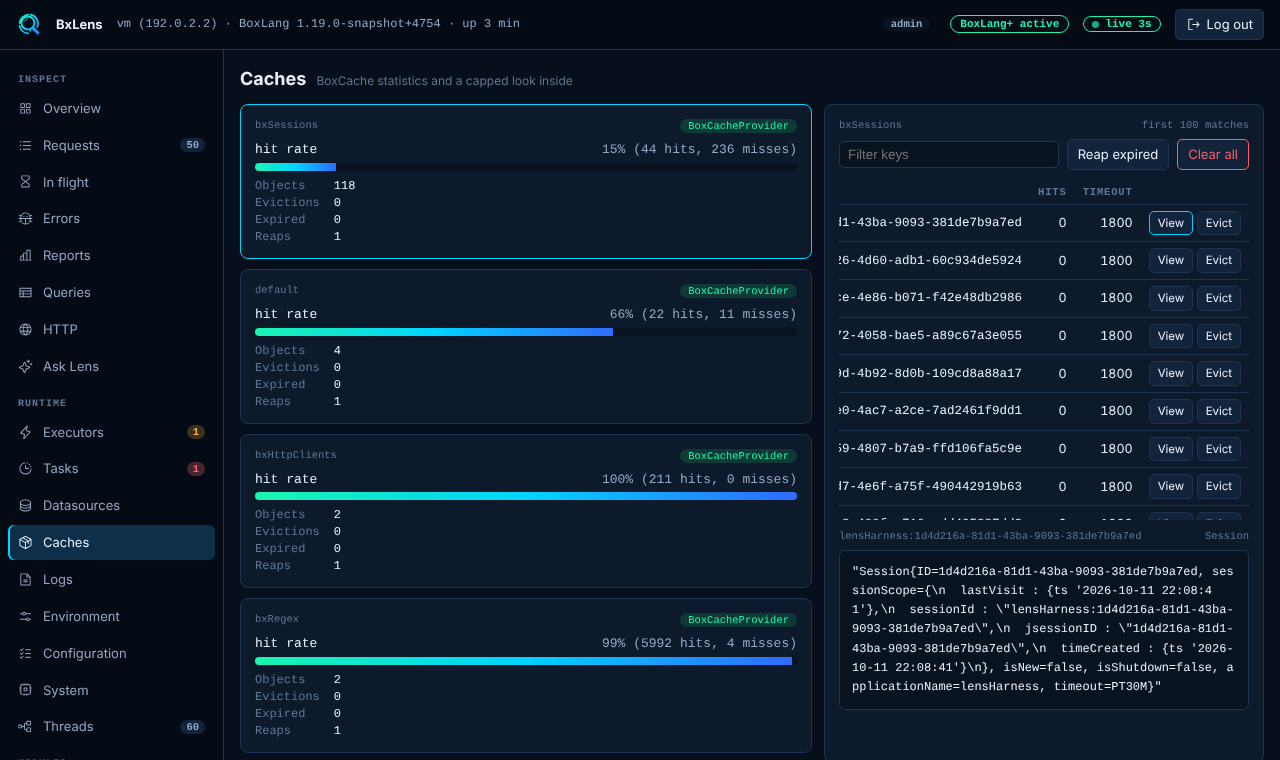
Heap use over timeThe Threads pageThe Caches page

All your servers in one table BoxLang+

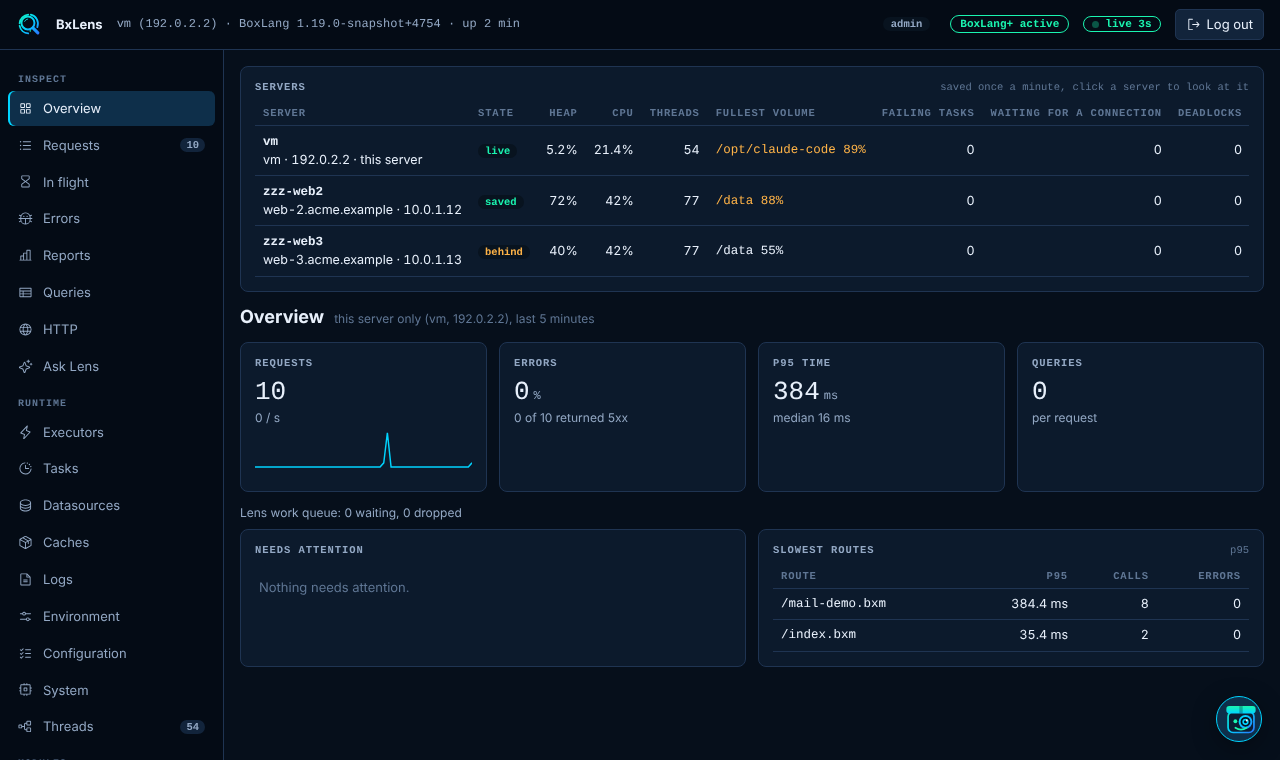
Each server saves a health snapshot every minute. See heap, CPU, the fullest disk and last seen for the whole cluster, then open any server read only.

  • Fleet table on the Overview
  • Mail, ORM, queries and system per server
  • No agents, no extra service
  • Free shows one server only
Servers →
The servers table on the Overview with heap, CPU and disk per server
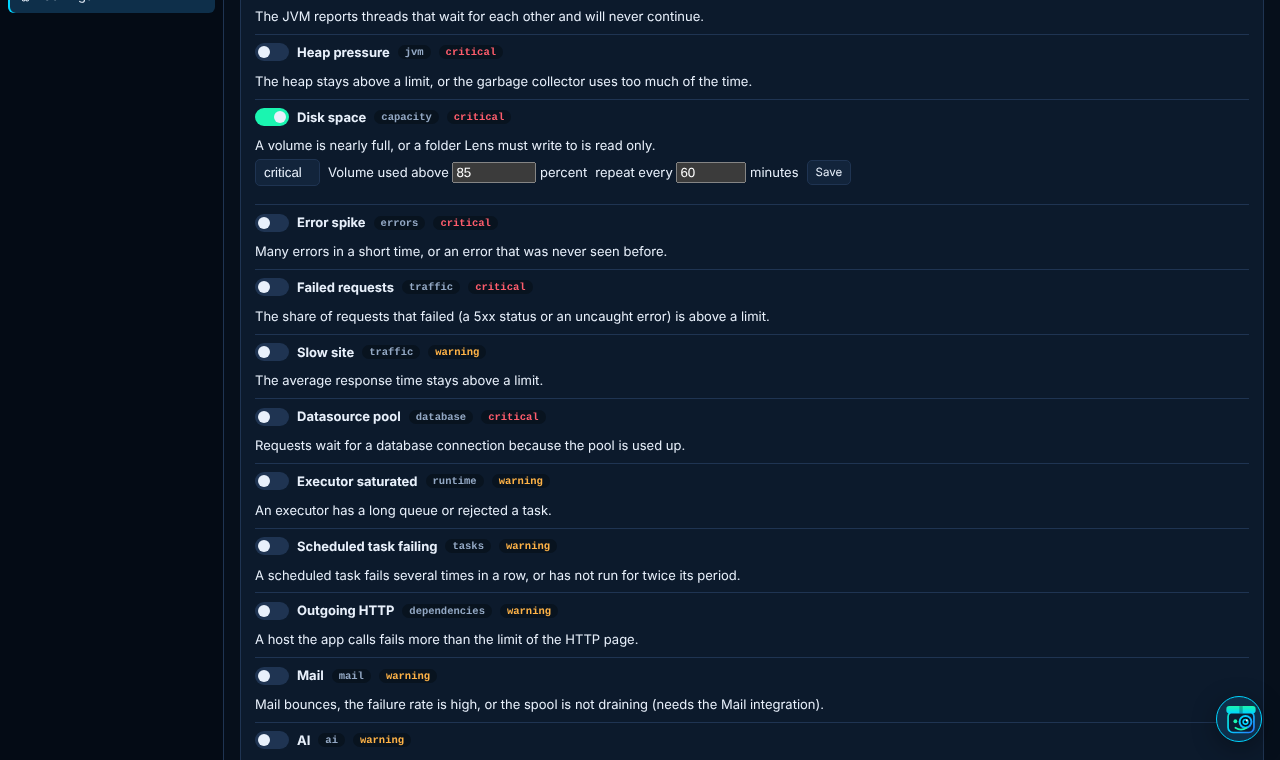
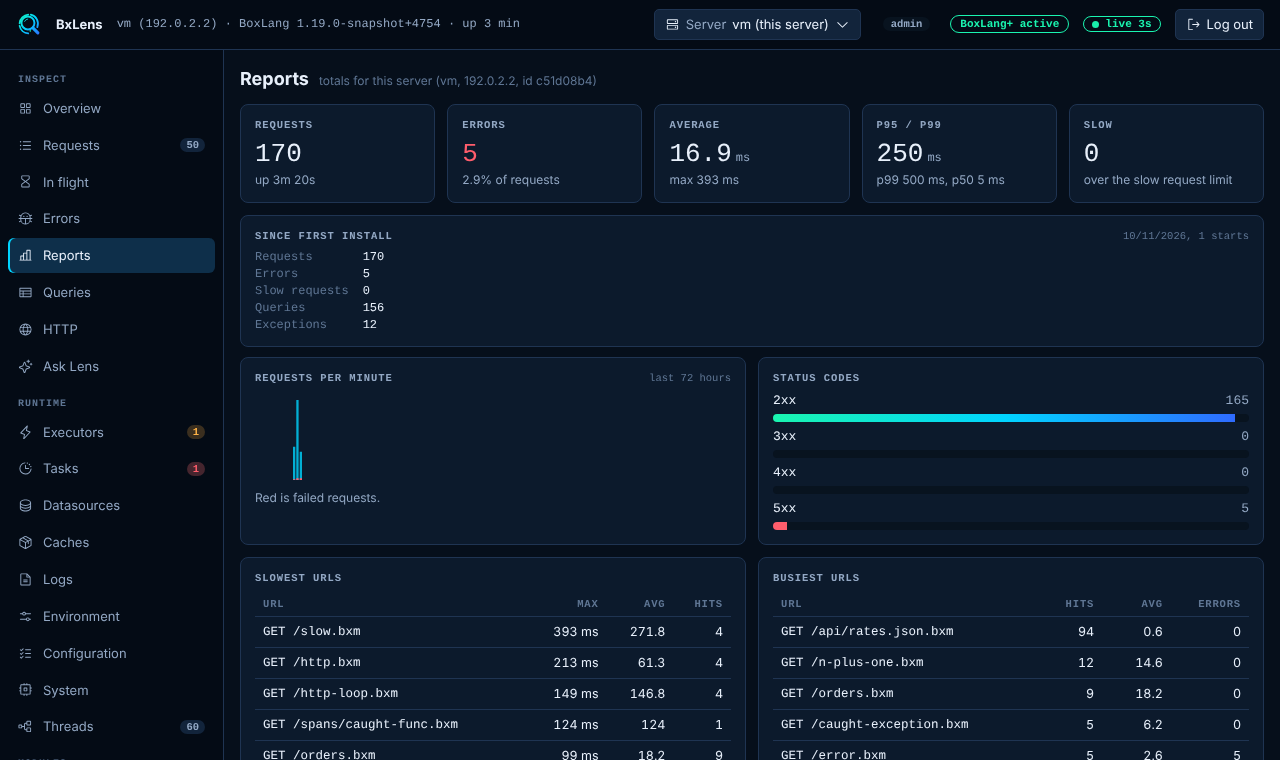
Alert rules and recipientsReports across serversA weekly report preview
Multi server observability · BoxLang+

One folder. Every server. No agents.

Servers write what they know to a shared store. Any console reads it. Alerts are sent once for the cluster, not once per server.

BoxLang+ feature. The Free version is one server only.

web-1live
web-2disk 88%
web-3behind
Shared storehealth, rollups, errors, reports
Any consoleread only view of every server
Alerts and reports · BoxLang+

Hear about it before your users do.

Fifteen alerts, all off until you switch them on. You choose how Lens sends mail. Admins get a daily, weekly and monthly report for the whole cluster.

Server downDeadlockHeap pressureDisk spaceError spike Failed requestsSlow siteDatasource poolExecutor saturated Task failingOutgoing HTTPMailAISecurityLog errors
  • Your SMTP, not your app's. Lens sends through its own mail client. The password never lands in a settings file.
  • One mail, not twelve. One server sends for the cluster. An alert repeats while true and a resolved mail follows.
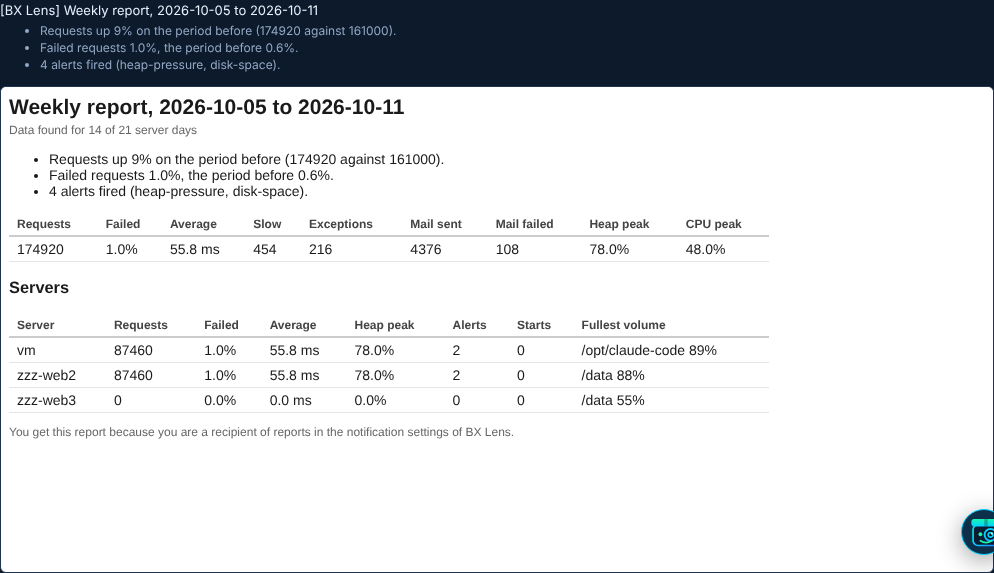
  • Reports with context. Requests, errors, slow routes, bad hosts, mail, restarts and the fullest disk, set against the period before.
Notifications → Email reports →
A weekly report preview with totals and a table per server
AI observability BoxLang+

Know what your AI agents cost and do.

BxLens watches the agents of BoxLang AI with no code change. Every run, every model call, every tool and MCP call, in one place.

  • Full run trace. Open any run to see its model calls, tool calls and MCP calls, step by step.
  • Cost per agent and model. From the price table you add, in dollars per million tokens.
  • MCP server monitoring. The servers you host: requests, tool calls, failures and why callers were turned away.
  • Works with BoxLang AI. It listens to the events of BoxLang AI, so there is nothing to wire up.

AI observability is a BoxLang+ page. Free keeps three counters for the last hour: failed runs, rate limit hits and MCP errors. Cost is an estimate from the price table you add; a model with no price adds no money. Works with BoxLang AI only.

We eat our own dogfood

Built with BoxLang and BoxLang AI.

BxLens is a BoxLang module, from the BIFs you call to the assistant you talk to. We run on what we ship.

A BoxLang module

Installed with install-bx-module, configured in boxlang.json, and hooked in through BoxLang interceptors and the lens* BIFs.

Lensy runs on BoxLang AI

Every Lensy tool is an @AITool in BoxLang, served through the bx-ai module. Any provider it supports, including Ollama.

Tested in BoxLang

The end to end suite is TestBox specs driving a real browser with bx-playwright.

Documented with bxSites

These docs are built by bxSites, the BoxLang static site generator.

Lensy · the ops assistant in your console

Meet Lensy.
It knows your server, and asks before it acts.

Ask in plain words. Lensy reads your errors, queries, threads, mail and servers, explains what it finds and searches the BoxLang docs. When a change is needed it proposes one, shows you exactly what will happen and waits for an admin to press Approve.

Meet Lensy → Everything it can do
1Ask

"How healthy is the server?" Lensy looks at the live data and answers in plain words.

2Approve

"Turn on the disk space alert at 85 percent." An approval card shows the exact change. Nothing happens until you press Approve.

3Delegate

"Email ops@acme.example.com about capacity problems, with the daily report." Lensy sets up the recipient for you.

Reads

Errors, queries, threads, executors, datasources, caches, logs, HTTP, mail, servers and alerts.

Explains

Why a request is slow, what a stack trace means, which host keeps failing and what to try next.

Changes, with approval

Alerts, recipients, report schedules, scheduled tasks, caches and GC. Admins only, one decision at a time.

Looks things up

Searches the BoxLang docs and any MCP server you choose to switch on.

Free and BoxLang+

Free to use, in production too.

The bar, the console basics, volumes and the BIFs are free, for one server. BoxLang+ adds multi server observability and what teams need to run a fleet.

Free

  • The bar, every tab
  • ColdBox: the bar tab, findings, modules, schedulers, boards and a glossary
  • Console: requests, errors in memory, executors, tasks, datasources, caches, logs, system
  • Disk volumes and folders of this server
  • Roles, audit log, read only mode
  • All lens* BIFs and the extension API

BoxLang+ or trial

  • Saved errors, reports and rollups for 15 days
  • Multi server observability: the fleet table and the pages of every other server
  • Mail viewer and monitor
  • 15 email alerts and daily, weekly, monthly reports
  • Lensy: chat, tools and approved changes, and Find solution for a finding
  • ColdBox: run, pause and remove tasks, and clear CacheBox caches
  • AI observability, ORM statistics, HTTP history
  • Request cost, heap dump, diagnostic bundle
Compare in detail
Built to be safe in production

It watches your app without becoming a risk.

Off until you say so

Both surfaces are disabled by default and answer on loopback only. Open them up with an IP list and a password.

Roles and an audit log

A viewer role that can look but not change anything. Every change, login and approved action is in the audit log.

Redacted by default

Passwords, tokens and keys are removed before any value reaches the screen, a mail or the AI.

Light on a busy server

Collection is capped and bounded. Pick light or full, and see the overhead on the Configuration page.

Walkthroughs

Learn it step by step, with a guide.

Nine calm walkthroughs with a voice and captions. Watch one, or all of them.

Part of the BoxLang ecosystem

Built for BoxLang, with BoxLang.

Questions

Short answers.

What is BxLens, and is it free?

BxLens is a BoxLang module with a request level debug bar and a console for your servers. It is free for a single server. Multi server, mail, alerts, reports, Lensy and AI observability need BoxLang+. Registering your server once, for free, gives you BoxLang+ features for 14 days.

Which BoxLang versions does it support?

BoxLang 1.17 and above. It also works natively with ColdBox.

Does BxLens send data outside my network?

No. The console page loads no scripts, styles, fonts or data from another origin, so it works on an air gapped network. The server makes an outside call only if an admin turns on the AI help with a hosted provider.

Will it slow down my app?

It is light on a busy server. Collection is capped and bounded, and you can pick light or full collection. The Configuration page shows the overhead.

More answers in the FAQ · BoxLang+ plans

Consulting and support

Need BxLens in production? Talk to the people who build BoxLang.

Ortus Solutions offers professional support, architecture reviews and custom development for BoxLang applications.

consulting@ortussolutions.com
  • Priority supportAnswers from the team that builds the runtime.
  • Production reviewHave your access rules, passwords and collection level checked.
  • TrainingGet your team productive with BxLens and BoxLang.
Two minutes to your first look

Install it. Turn it on. See your app.

Install the module, enable the bar or the console in boxlang.json and open your app.